
Your essential tool for kitchen design
The IKEA Home Kitchen Planner is a free kitchen design tool aimed at homeowners, renters, and interior designers, but available to everyone. This application simplifies the process of kitchen planning and design with a user-friendly interface and access to IKEA’s extensive product catalog, allowing users to effectively plan and budget for their kitchen space. It allows users to create detailed 3D models of their kitchen layouts, making it a practical option for anyone looking to remodel or build a new kitchen.
Top Recommended Alternative

Designed for simplicity and speed
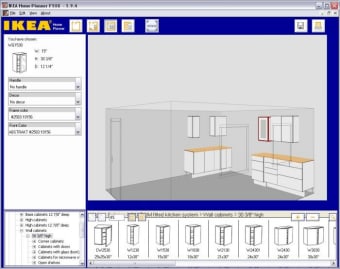
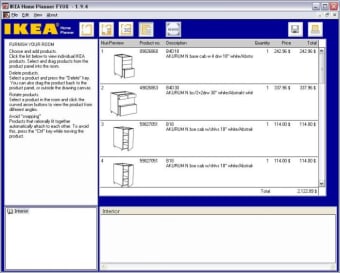
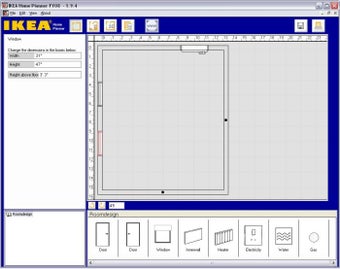
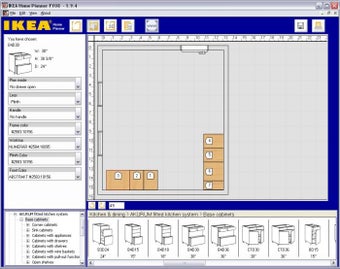
The IKEA Home Kitchen Planner stands out for its vast customization features and simple drag-and-drop interface. It enables users to define room dimensions accurately, select from various cabinet sizes, colors, and styles, and even add appliances and countertops for full visualization. This flexibility is particularly beneficial for users looking to design a space that meets their personal requirements. Moreover, the software integrates with IKEA’s product catalog, providing real-time pricing updates, which eases the budgeting process.
With its 2D planning capabilities, users can easily outline their kitchen’s dimensions onto an online format, while its 3D visualization levels up the design process, though the rendering quality might be relatively low. However, this doesn’t dampen the application’s efficiency and functionality.
Better collaboration and tracking
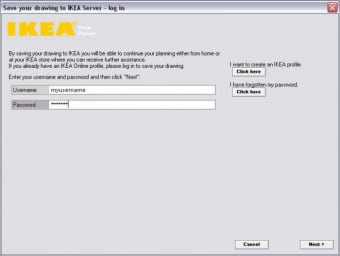
With features aimed at enhancing collaboration, the planner allows users to save and share their designs easily. This is a significant advantage for family discussions or consultations with professionals. Users can print blueprints and shopping lists for easy project management. However, there is a noted limitation in providing installation instructions, which may pose a challenge for DIY enthusiasts.
Some users have highlighted that although the interface is largely user-friendly, it can be complex for beginners. Additionally, performance may vary based on the hardware used, potentially leading to slower loading times on older devices. The 3D rendering quality may also not meet the expectations of users accustomed to higher-end design software.
Focused and effective for kitchen design
In conclusion, the IKEA Home Kitchen Planner is a valuable tool for anyone looking to design a kitchen with IKEA products. Its integration with the IKEA catalog enables extensive customization and accurate budgeting, making it a practical option for those considering a kitchen renovation. While users should be aware of its limitations in rendering quality and the absence of detailed furniture representations, the planner’s features provide a solid foundation for kitchen design. Alternatives may offer enhanced visual capabilities, but this planner remains a useful starting point for initial planning.









.png)